Operations

The station's records, out of the binder

Your roster and certifications, apparatus and equipment, inspections and training attendance, behind the same login as your website. Officers keep them current, and every change is logged.

Four record books

The behind-the-scenes work, in one place

Lightweight admin tools for the records most stations still keep in binders, spreadsheets and sign-in sheets. Same login as your website, kept by the officers who already own them.

Personnel and certifications

A roster your officers can trust

Every member with their badge number, rank, station, status and join date. Open anyone to see the certifications they hold, with certificate numbers, issue dates and expiration dates.
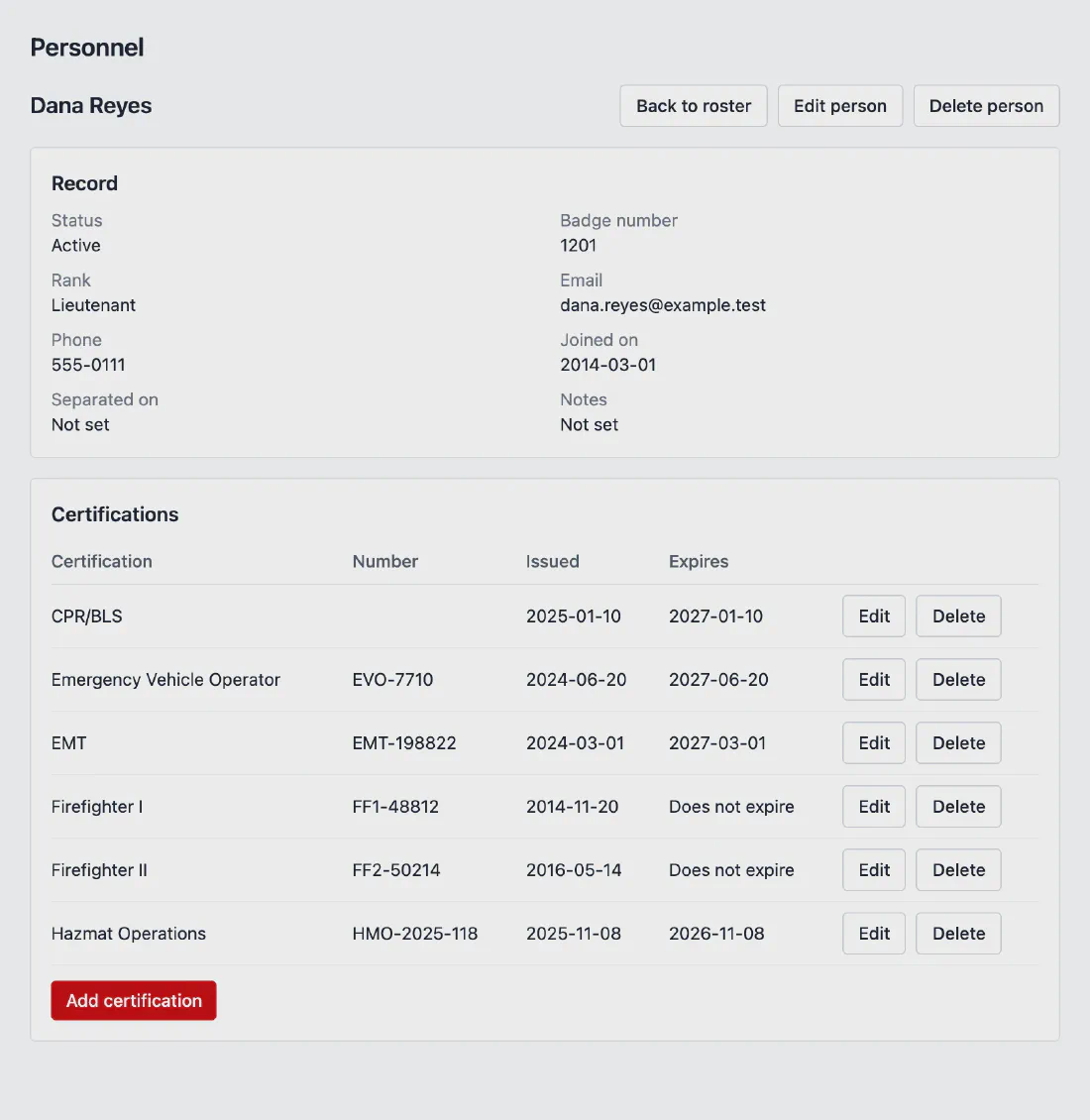
  • Member statusProbationary, active, inactive or separated. Filter by status, or search by name or badge number.
  • Your certification typesFirefighter I, EMT, Hazmat Operations, CPR: set each one up once, with its issuing body and how long it stays valid.
  • Expiration dates filled inEnter the issue date and the expiration date is worked out from the validity period.
A member's record in the Rescuezu admin: status, badge number, rank and join date, and a table of certifications with certificate numbers, issue dates and expiration dates.
Rescuezu admin. Sample data, fictional department.

Expiring certifications

See what is lapsing before it lapses

The personnel page opens with every certification that has expired or expires in the next 90 days, soonest first, so a lapsed EMT or CPR card does not wait for someone to dig through a binder.
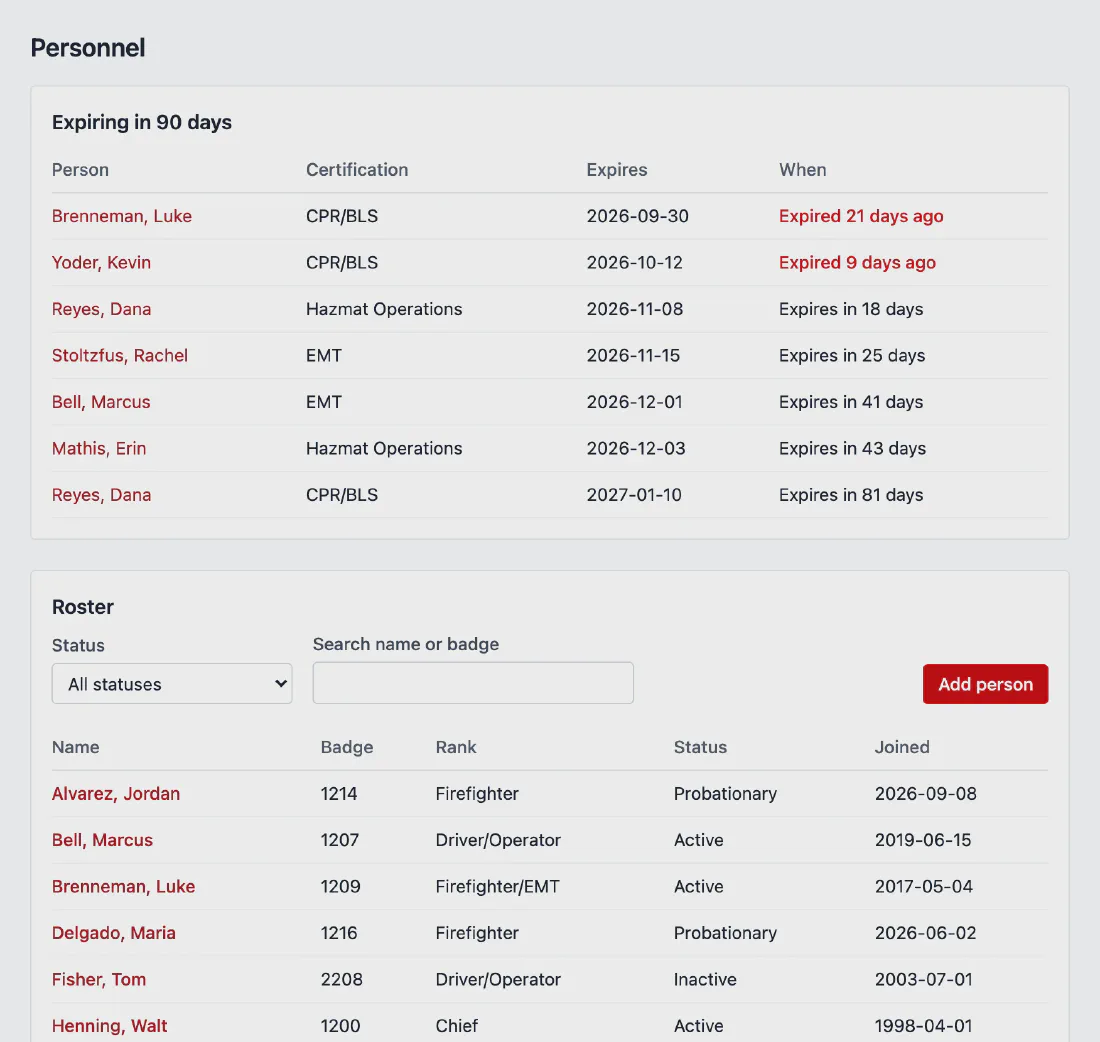
  • Expired and expiring togetherExpired certifications are flagged, and the rest show how many days are left.
  • Current members onlyPeople who have separated from the department drop off the list.
The Personnel page in the Rescuezu admin: a list of certifications expiring in 90 days with two already expired, above the roster with status filter and search by name or badge.
Rescuezu admin. Sample data, fictional department.

Apparatus and equipment

Every unit, and what it carries

List your engines, tankers, rescues, brush trucks and boats by station, with type, status, year, make and model. Open a unit to see the equipment assigned to it.
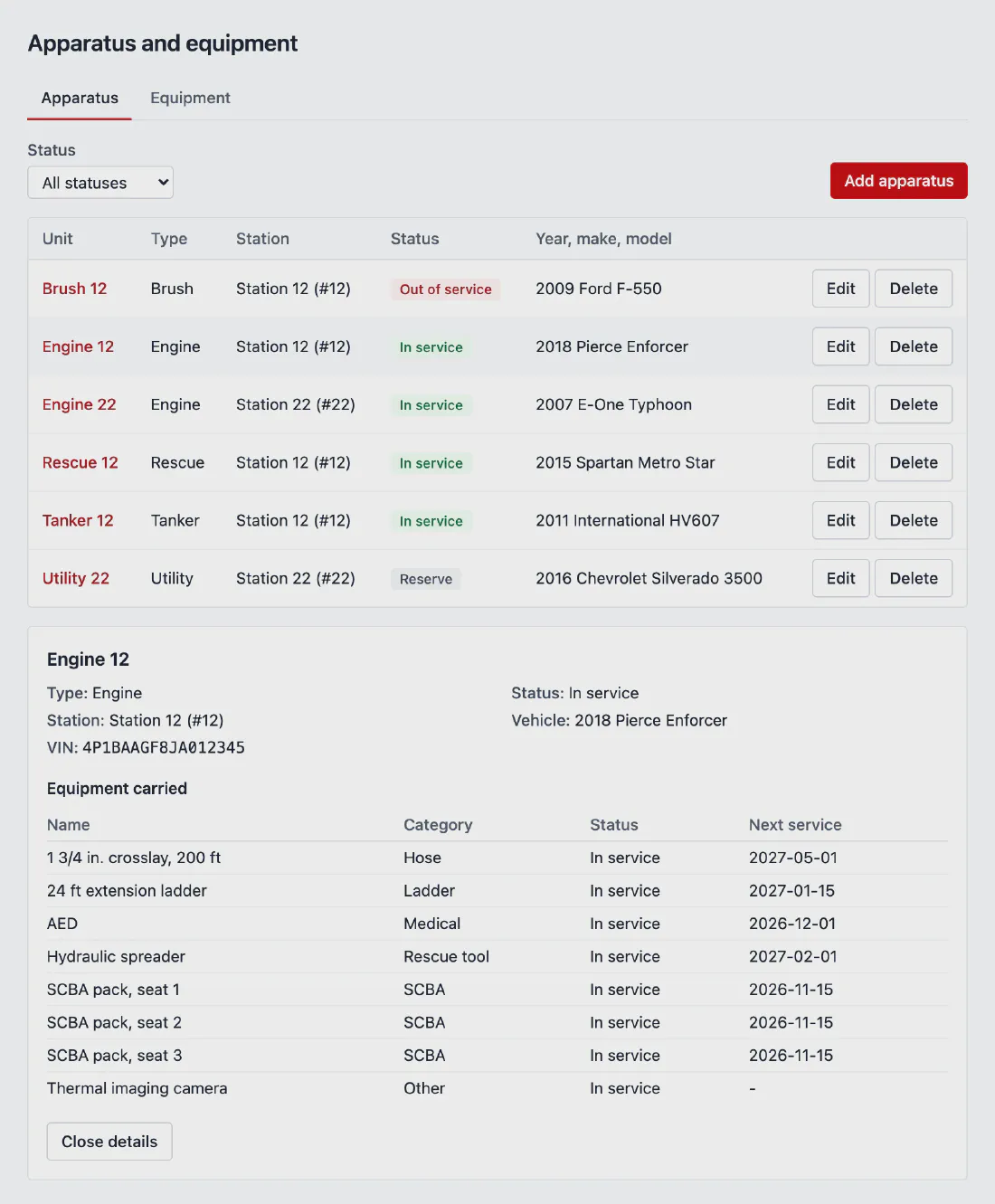
  • Unit statusIn service, out of service, reserve or retired, at a glance.
  • Equipment and service datesSCBA, hose, rescue tools, radios and more, each on a unit or kept at a station, with its serial number and next service date.
The Apparatus page in the Rescuezu admin: six units across two stations with type, status and year, make and model, and Engine 12 opened to show the equipment it carries with next service dates.
Rescuezu admin. Sample data, fictional department.

Inspections and checklists

Your checklists, and proof they were done

Build the checklists your station already uses, like a weekly engine check or a monthly station walk-through, and run them against an apparatus, a piece of equipment or a station.
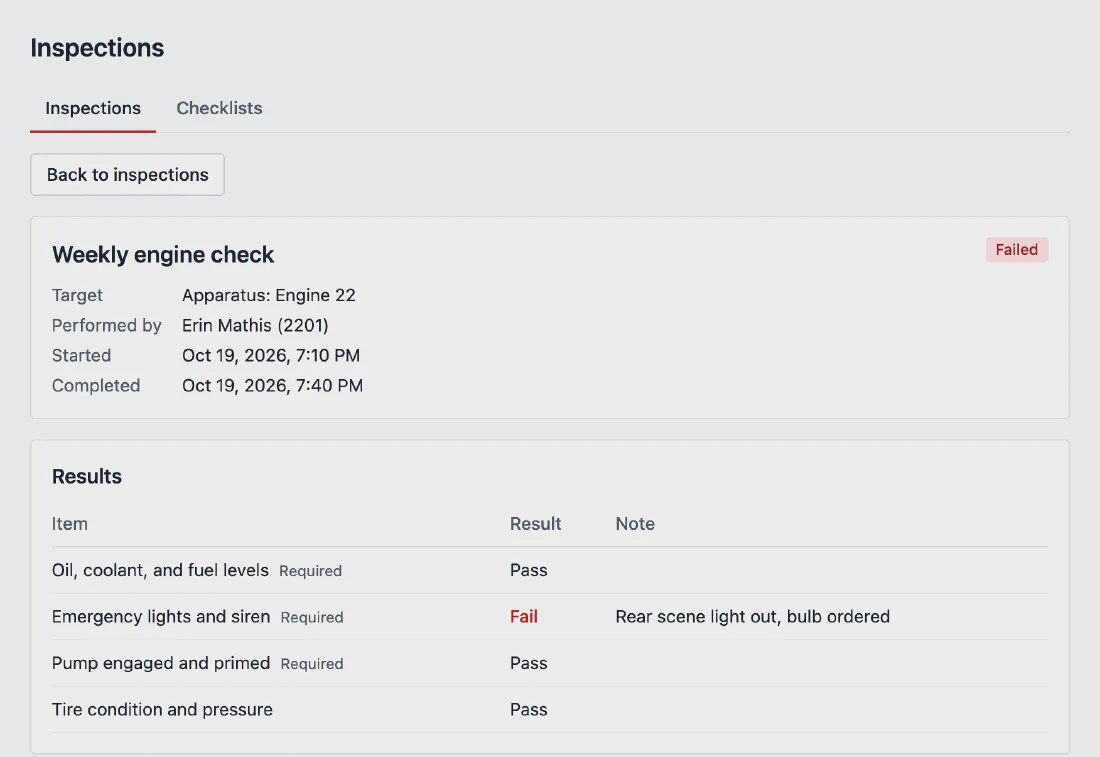
  • Pass, fail or not applicableMark each item and add a note. If a required item fails, the inspection is recorded as failed.
  • Who did it, and whenEach inspection records who performed it, when it started and when it was completed.
  • History that holdsPast inspections keep the checklist exactly as it was, even after you edit it.
A completed weekly engine check for Engine 22 in the Rescuezu admin, marked failed: the emergency lights item failed with the note rear scene light out, bulb ordered.
Rescuezu admin. Sample data, fictional department.

Training attendance

Roll call, without the sign-in sheet

Schedule drills and classes with a topic, instructor, location and station. Take attendance at the session or afterward, and the hours add up on their own.
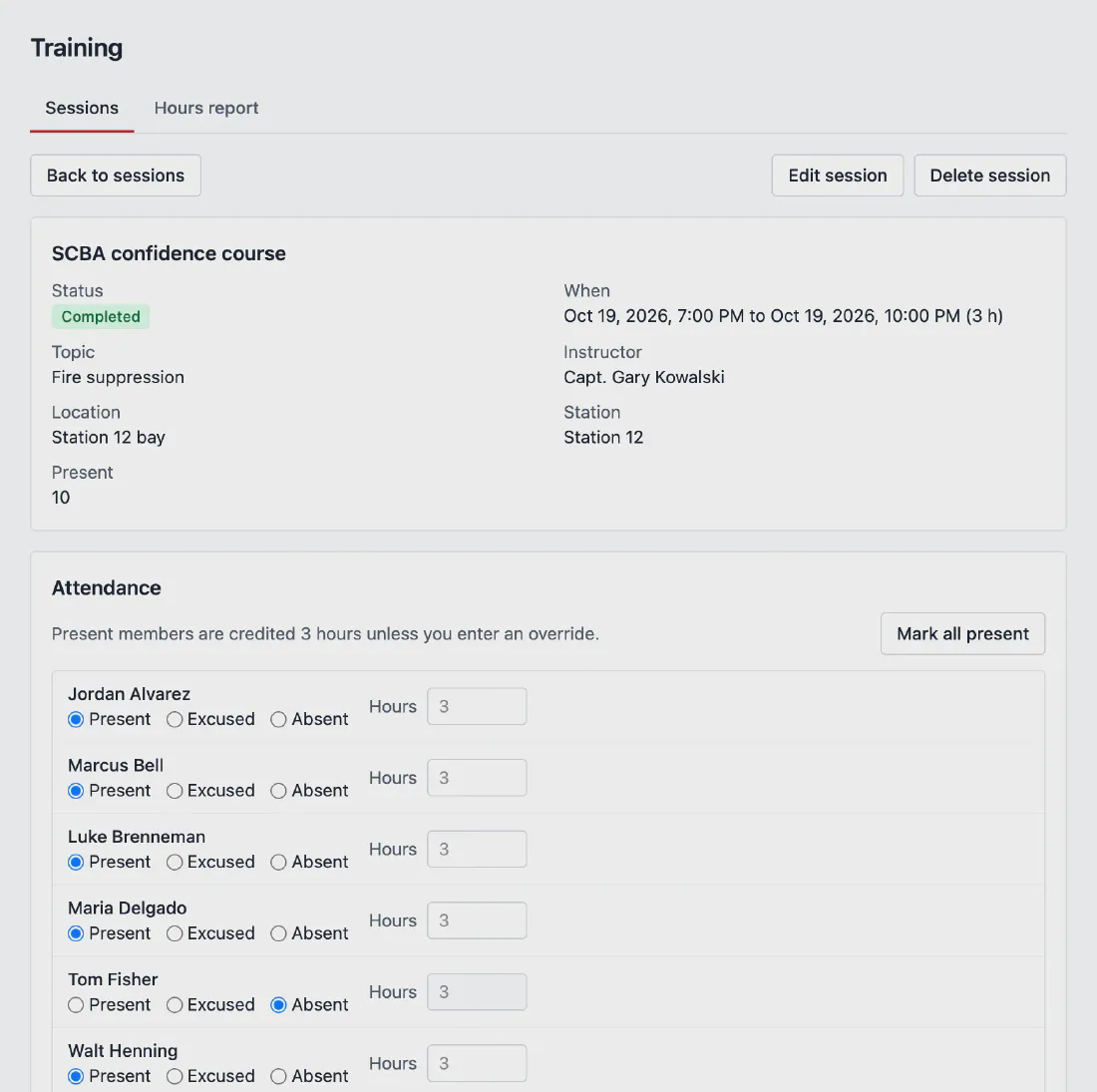
  • Present, excused or absentMark the whole roll call in one pass, or mark everyone present and adjust.
  • Training hoursMembers present are credited the length of the session unless you enter different hours, and the hours report totals each person over the dates you pick.
A completed SCBA confidence course in the Rescuezu admin, with its topic, instructor and station, and the attendance roll call marking each member present, excused or absent with credited hours.
Rescuezu admin. Sample data, fictional department.

Access and accountability

The right people, a clear record

Operations records sit behind the same login as your website, with their own permissions.

An officer role

Training, apparatus and personnel officers can manage operations records without touching the website, members, domains or billing.

Every change logged

Every record added, changed or removed is written to an audit log, along with who did it.

Nothing sensitive on the roster

The roster never holds a Social Security number, date of birth or medical information. Your records are isolated from every other department's.

Operations is its own plan, above Community. It is available now at pilot pricing; ask us for the details for your department. See pricing

Boundaries

Lightweight admin tools, never dispatch

Operations is for record keeping. Rescuezu never takes calls, dispatches or pages responders, or records patient care.

Read about safety and trust

Not a dispatch system. For emergencies, call 911.

Rescuezu runs your website and admin tools. Every Rescuezu site shows the 911 notice on every page.

  • Dispatch
  • CAD
  • Paging
  • ePCR

Covering a county or region?

Bring several departments onto Rescuezu under one agreement.

Talk to us View pricing